Before ingesting dbt Cloud metadata into Dawiso, prepare your account for authentication by configuring a service account token with the necessary permissions.
Supported dbt versions
- The latest dbt version. Dawiso is updated regularly to retrieve the most recent objects and relations from the dbt metadata API.
Connection prerequisites
- An account with a Developer license and admin permissions
Generate a service account token
To generate a new service account token:
- In the left-side navigation bar of your dbt Cloud account, click your profile name and select Your profile.
- In the Settings menu, under API tokens, select Service tokens.
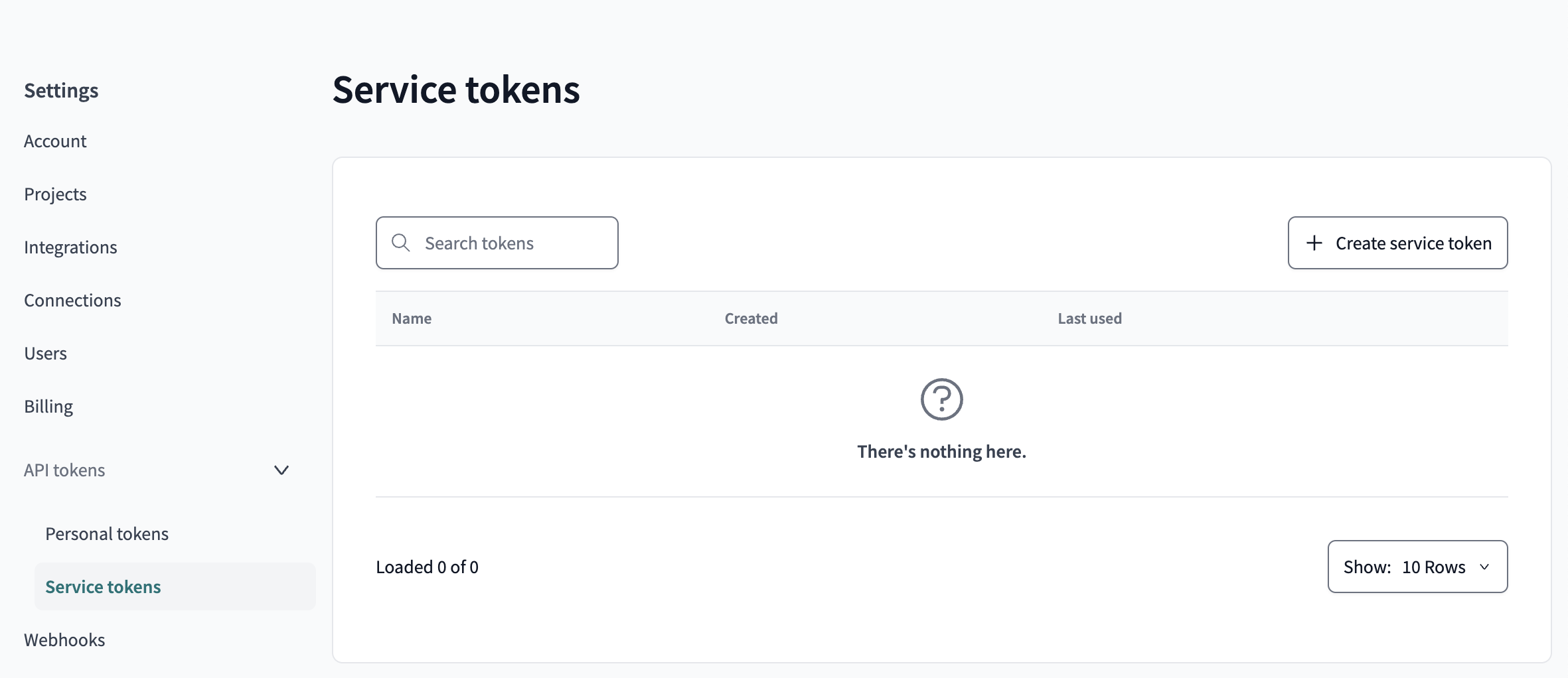
- In the right corner, click + Create service token.
- Name your token and click + Add permissions.
- For the Permission set, make sure to add Metadata Only.
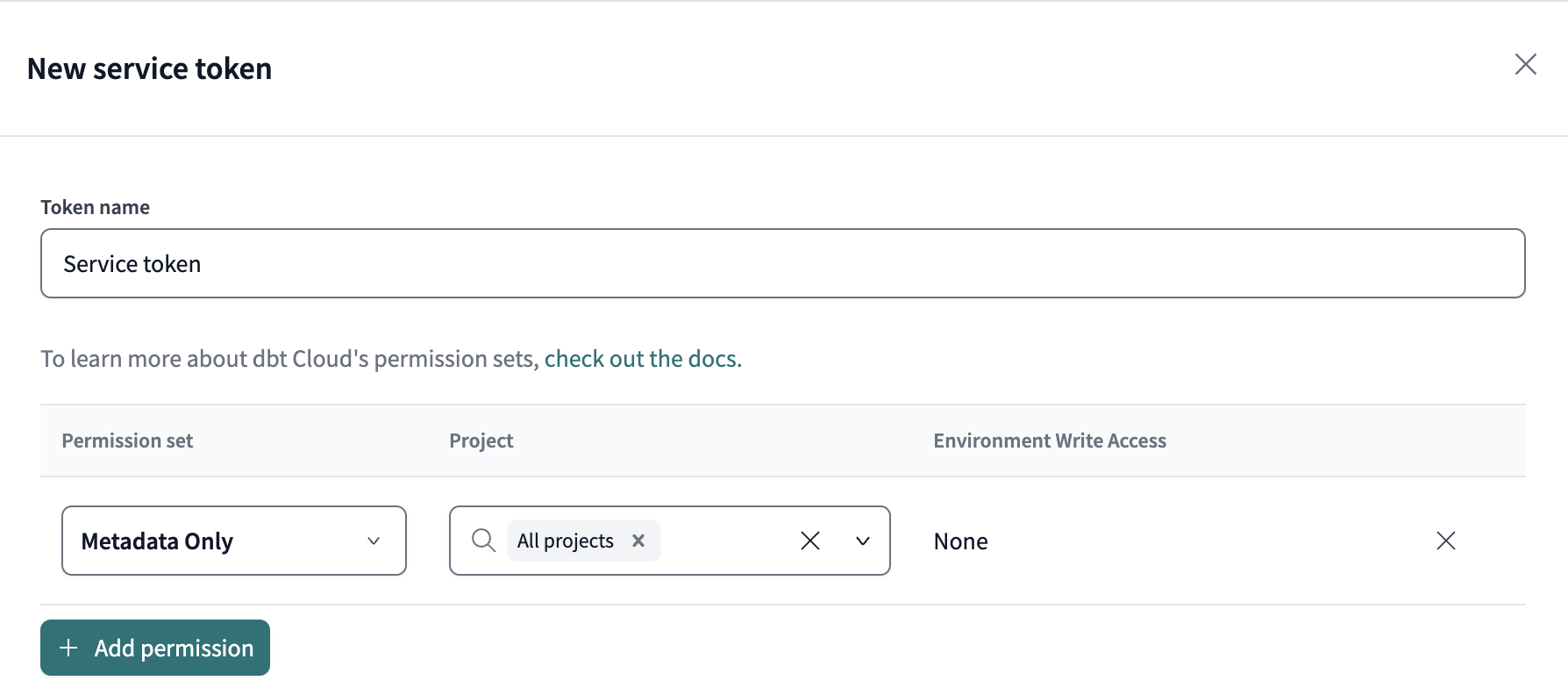
- Save and copy the newly generated token.
Warning
The token value is displayed only once. Copy and save it immediately, otherwise you will need to generate a new token if it is lost.